Announce it first
Tell people about your event, even if prices and tickets aren’t ready yet.
- Create an account without company details.
- Add a description, venue, date and image.
- Publish your announcement on tic.rs and share the link.
Oblakkarte brings everything you need for your concert, play or conference into one dashboard: an event page, online ticket sales, entry scanning and reports.
Start with an announcement—no company details needed. You can add ticket sales later.
ChatGPT + ClaudeCreate, manage and analyse with AILooking for something to do?
Find tickets on tic.rsConnect your assistant to your Oblakkarte organization. Ask it in plain language to prepare events and work with data, then review the results before saving.
AI is an additional way to work. The web dashboard and app are available without it. To connect, you need a compatible AI app and owner or administrator permissions.
Prepare a draft for a concert in Belgrade: a description in Serbian and English, a session at 20:00 and 100 Standard tickets for 2 000 RSD. Ask me to confirm the date and venue.
Possible response: I’ll confirm the date and venue, then prepare a draft for your review.
Prepare an EARLYBIRD promo code with a 10% discount for my concert. Ask me to confirm the validity period and limit before creating it.
Possible response: I’ll confirm the restrictions and show you the promo code terms before saving.
Compare sales for my concert over the last two complete weeks: tickets, total amount and sources. Include the dates and explain where data is insufficient.
Possible response: I’ll compile the available figures for matching periods and flag any data limitations.
Announce your event now or go straight to preparing ticket sales. Both paths lead to the same account.
Need help getting started, or planning an event in an unusual format? Contact the Oblakkarte team.
Get in touchSeating plans for a play, promo codes for a concert, attendee lists for a conference. Explore each feature to see how it can help with your needs.
All featuresTicket types, prices, orders and e-tickets in one system.
Learn moreSections, rows and seats for concerts, theatres and conferences.
Learn moreA QR scanner, support for multiple staff members and real-time entry data.
Learn moreSales, attendance and event comparisons for a selected period.
Learn moreBuyer contact details, order history and attendee responses.
Learn moreSet discounts, validity periods and limits for your promotions.
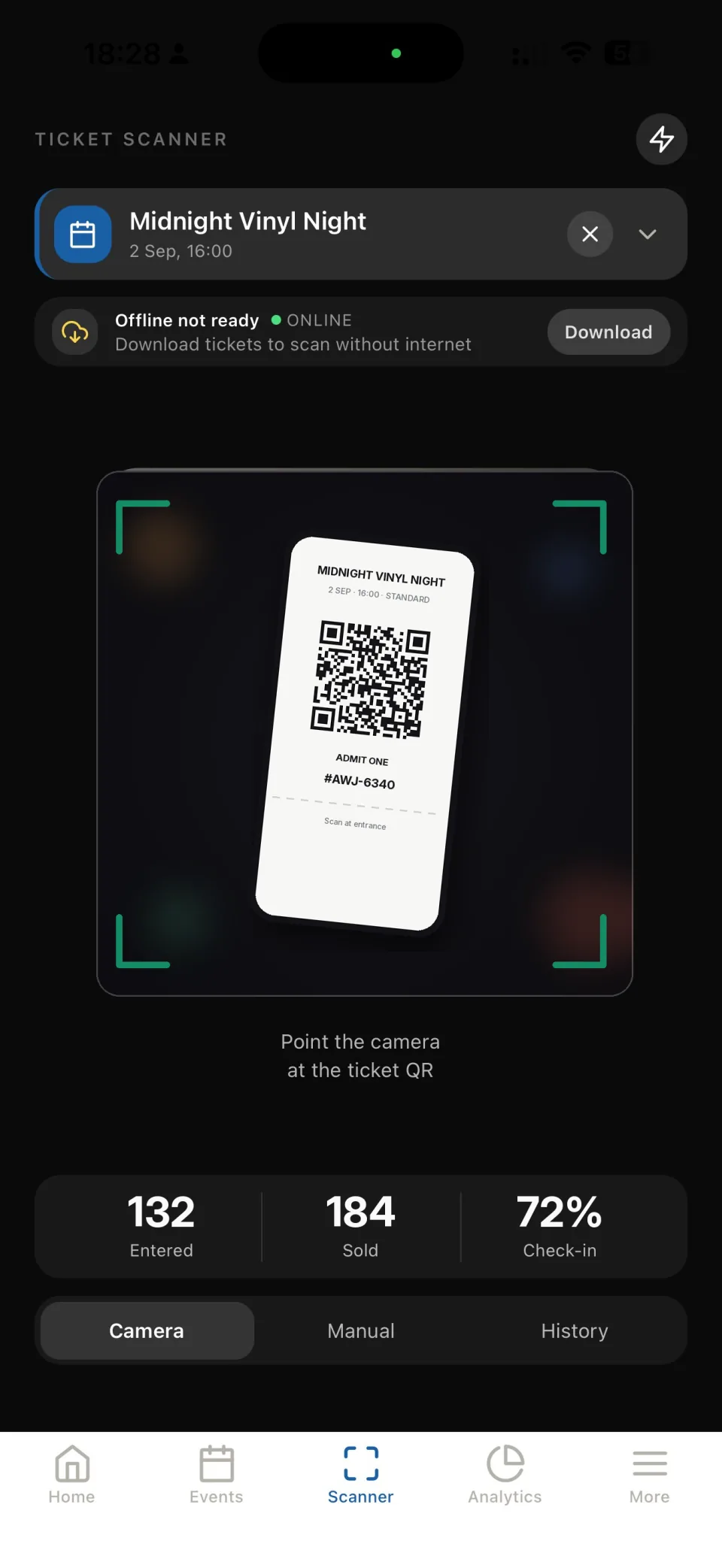
Learn moreManage your event in the new Oblakkarte dashboard and Evenda app: check orders, open the guest list and scan tickets at the venue. Sign in with your existing Oblakkarte account.
Open the new dashboard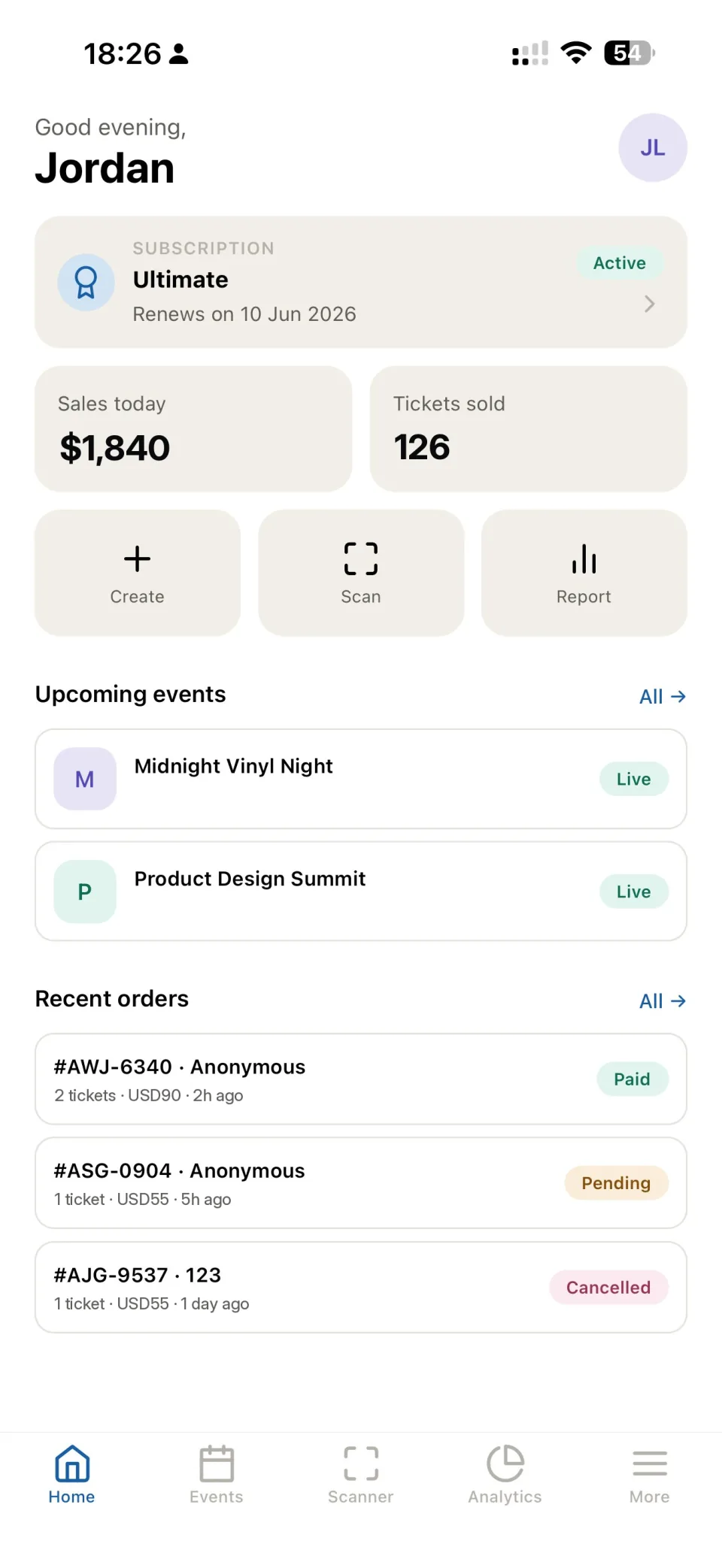
Publish event listings or start selling tickets when you’re ready. The ticket sales fee for new customers is 12%. Existing customers keep the terms of their agreement.
Pricing and calculatorThis platform is for event organizers in Serbia: create events, sell tickets and manage guests. Looking for an event and want to buy a ticket? Visit tic.rs.
Yes. Sign up and add a description, date and venue. You don’t need company details to publish an announcement. When you’re ready to sell tickets, add your company and review the sales terms.
Your existing account works with the new Oblakkarte web dashboard and the Evenda app. A link to the old dashboard is still available in the navigation and footer.
Prepare events, descriptions and translations, schedules and promo codes; review orders and analyse available reports. The available actions depend on your permissions. You’ll need to review and confirm changes first.
The commission for new customers is 12%. Existing customers keep the terms of their current agreement. The pricing page includes a calculator and details of the terms. Payouts, event cancellations and refunds are handled according to the terms agreed with Oblakkarte.
Create an account and build your event page. Add tickets, sales and other tools whenever you need them.
 Evenda
If this sales model works for you, discover Evenda. Sell tickets through your own account with a payment provider, and pay a fixed subscription for the platform.
Use your company’s account with a supported payment provider.
Payments go to your company through your provider. Evenda does not hold your revenue.
Choose a subscription that suits your events. Evenda charges no commission on ticket sales.